Launchers
A launcher is a shortcut to a specific page of an application. It opens the same application, with the same authentication and access rights, but on a different URL.
For example, for a GitHub application, you can create a launcher for each repository. Your users can then go directly to the correct repository from their homepage or from the extension.
A launcher consists of:
- a URL, which must start with
http://orhttps://; - a title;
- a description, optional;
- an icon, optional: if you do not specify one, VaultysHub automatically retrieves it from the URL.
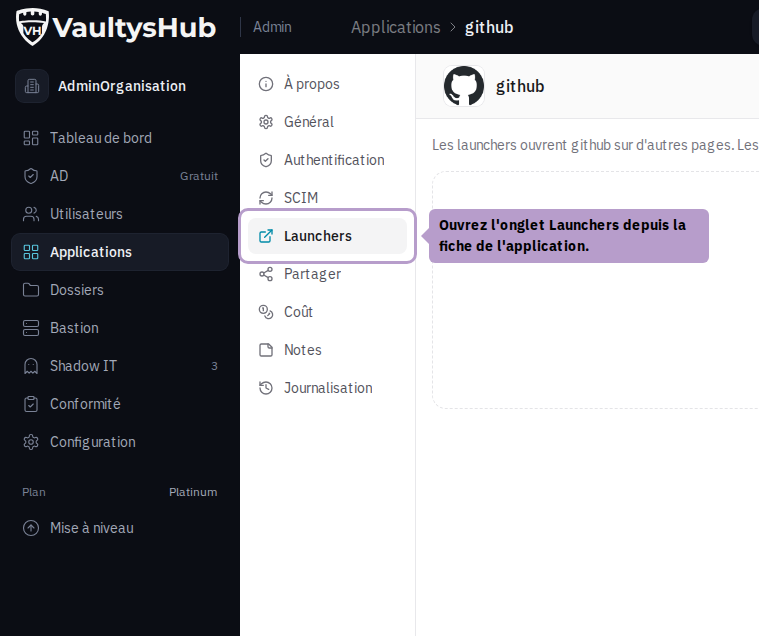
Open the Launchers tab
From the list of applications, open the application's sheet and then the Launchers tab.
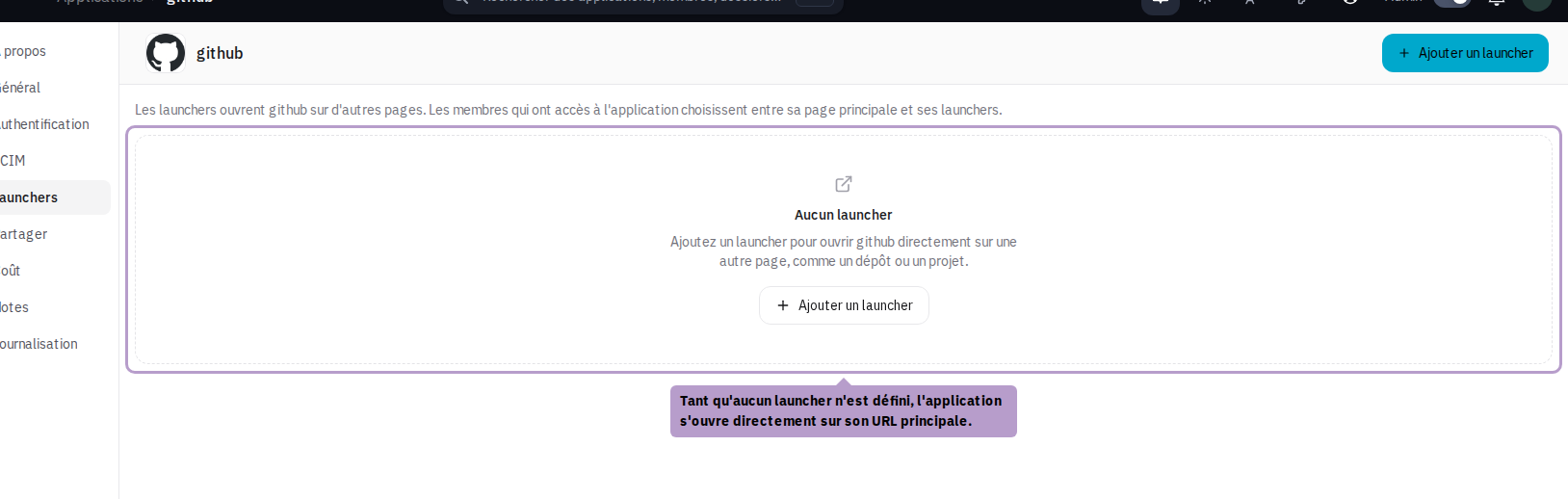
Add a launcher
Click on Add a launcher in the toolbar. Enter the URL: if the title is still empty, it is suggested from the targeted page. Save with Add.
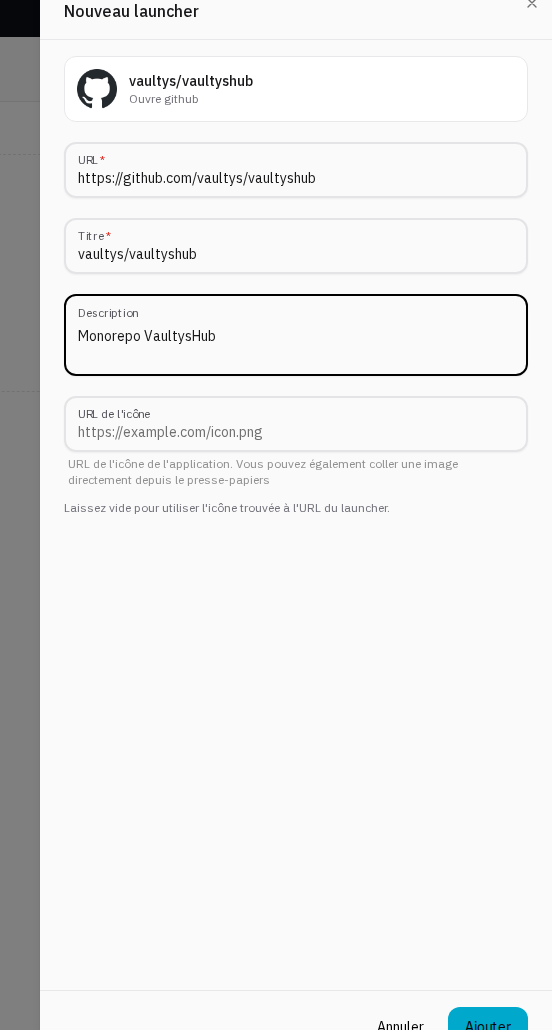
You can paste an image directly into the Icon URL field to use a custom logo.
Organize the launchers
The launchers are displayed to your users in the order of the list.
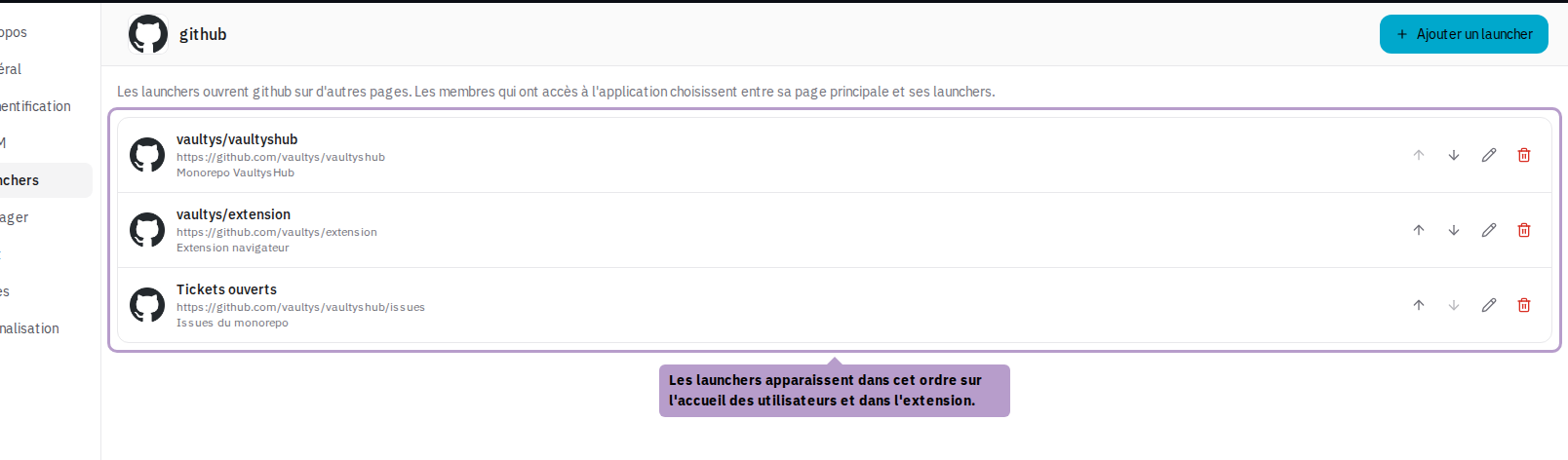
On each line, the arrows move the launcher up or down, the pencil edits it, and the trash can deletes it after confirmation.

What users see
As soon as an application has at least one launcher, clicking on its tile opens a menu. The user can choose the main page of the application or one of its launchers. Refer to Application Launchers for details.
The launchers follow the application's rights: a user who does not have access to the application does not have access to its launchers. They are deleted with the application.
For an SSO application (OpenID Connect or SAML), the launcher directly opens the targeted page. It is the application that then triggers the connection via VaultysHub, just like when opening a browser bookmark.