SSO Configuration
SmartLink acts as an Identity Provider (IdP) and supports two SSO protocols: SAML 2.0 and OpenID Connect (OIDC). Your external applications delegate authentication to SmartLink — your users log in once and access all their applications.
Accessing Authentication Configuration
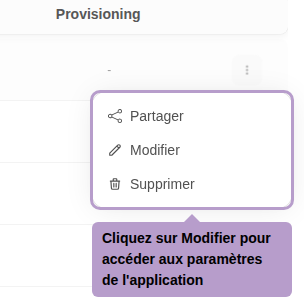
From the list of applications, open the actions menu of an application, then click on Edit.
On the application page, select the Authentication tab. Then choose the desired protocol from the dropdown menu: SAML2 or OIDC.
SAML 2.0 Configuration
Select SAML2 from the dropdown menu to activate this protocol.
Service Provider Settings
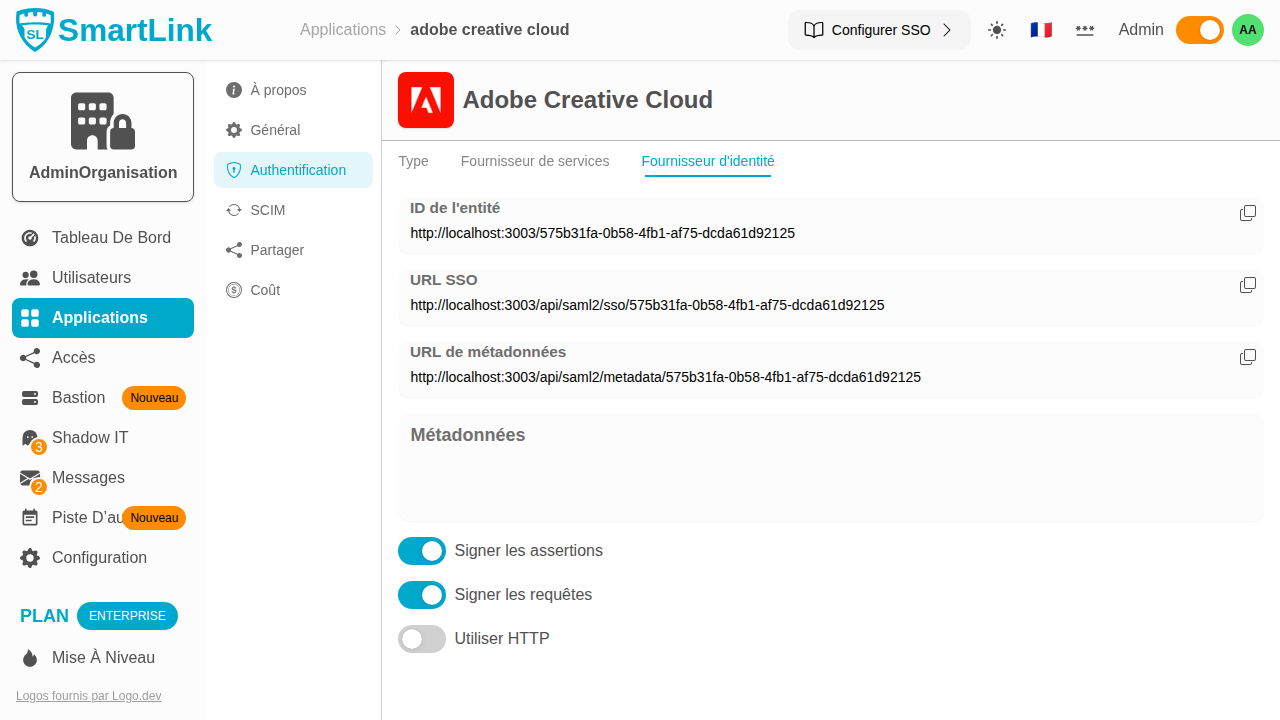
The Service Provider tab contains the information of the external application (SP) to be declared in SmartLink so that it can send SAML assertions to it:
| Parameter | Description |
|---|---|
| Entity ID | Unique identifier of the external application (Service Provider) |
| ACS URL | URL of the external application receiving SAML assertions (Assertion Consumer Service) |
| SLO URL | URL for logging out of the external application (Single Logout Service) |
| Certificate | Public certificate of the Service Provider to verify its signed requests |
| Private Key | SmartLink's private key to sign the assertions sent to the Service Provider |
Identity Provider Settings
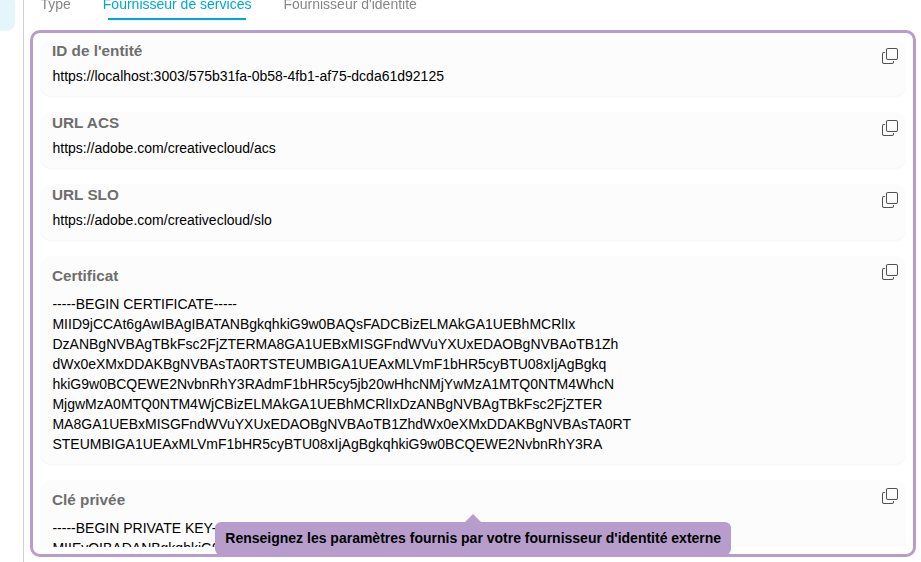
The Identity Provider tab exposes SmartLink's (IdP) endpoints to be configured in your external application:
| Parameter | Description |
|---|---|
| Entity ID | Unique identifier of SmartLink as an identity provider |
| SSO URL | SmartLink's SSO endpoint where the application redirects the user |
| Metadata URL | URL of SmartLink's XML metadata file (automatic import possible) |
| Metadata | Raw content of the metadata file |
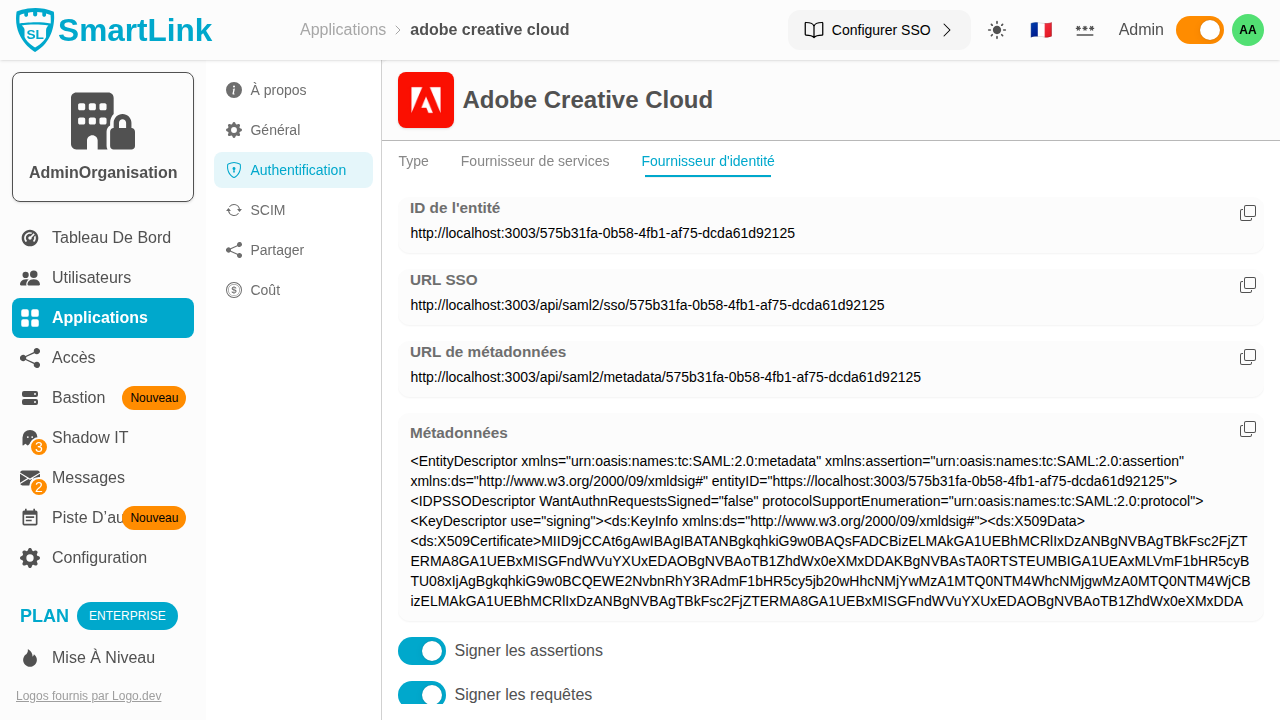
Advanced options allow adjusting the signature and protocol behavior:
| Option | Description |
|---|---|
| Sign assertions | SmartLink signs the SAML assertions sent to the Service Provider |
| Sign requests | SmartLink signs the authentication requests |
| Use HTTP | Allows HTTP connections (not recommended in production) |
OIDC Configuration
Select OIDC from the dropdown menu to activate the OpenID Connect protocol.
Provider Settings
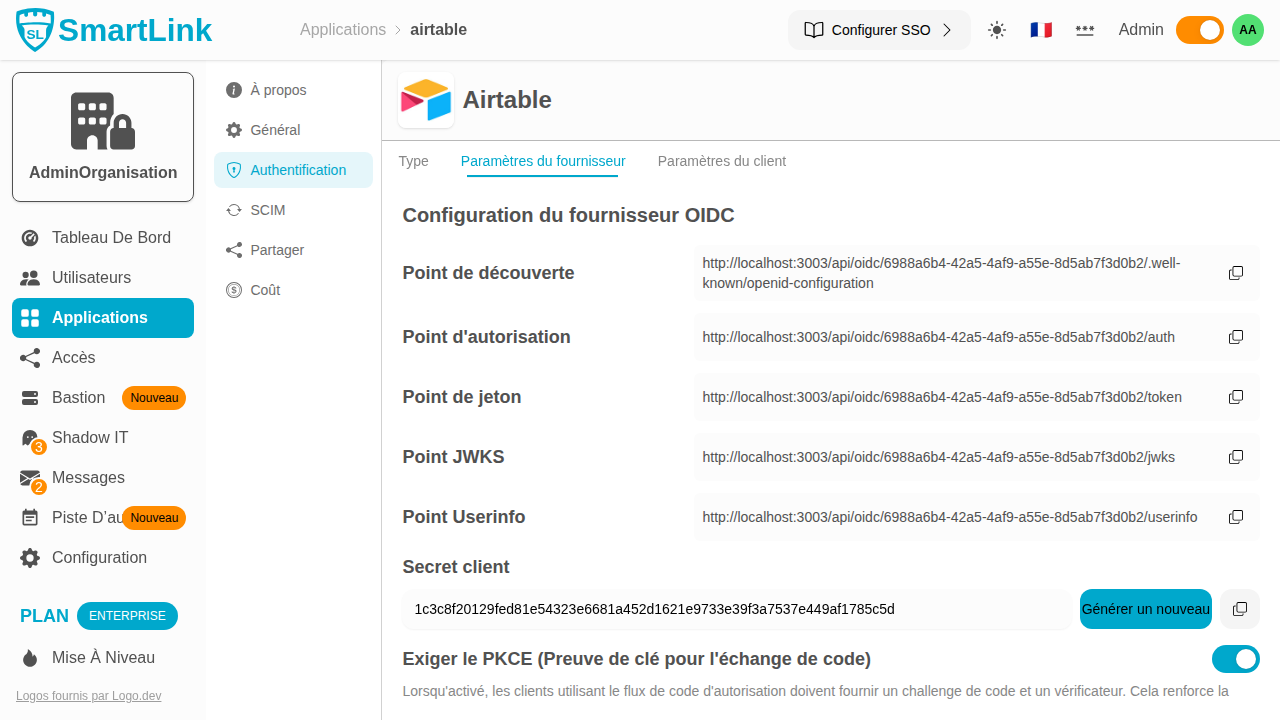
The Provider Settings tab exposes the OIDC endpoints automatically generated by SmartLink:
| Endpoint | Description |
|---|---|
| Discovery Endpoint | URL for automatic discovery of the OIDC configuration |
| Authorization Endpoint | OAuth2 authorization URL |
| Token Endpoint | URL for exchanging authorization code for a token |
| JWKS Endpoint | URL for public keys used to sign tokens |
| Userinfo Endpoint | URL for retrieving user information |
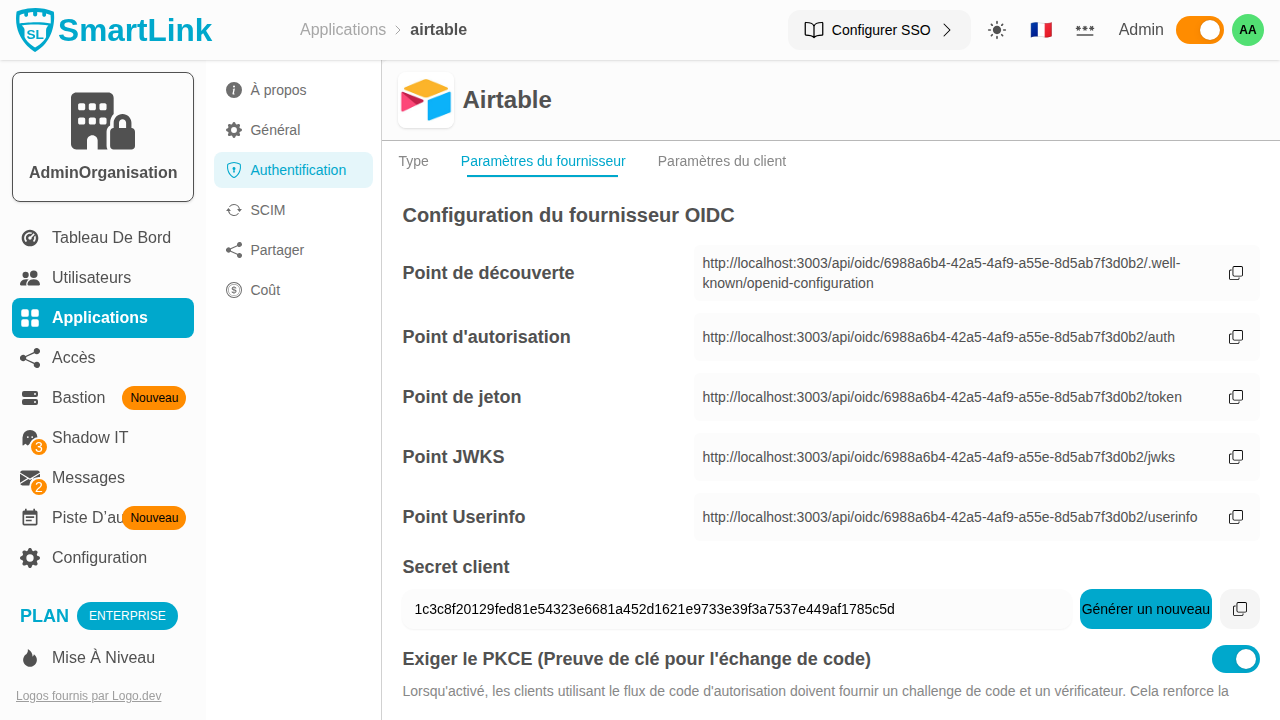
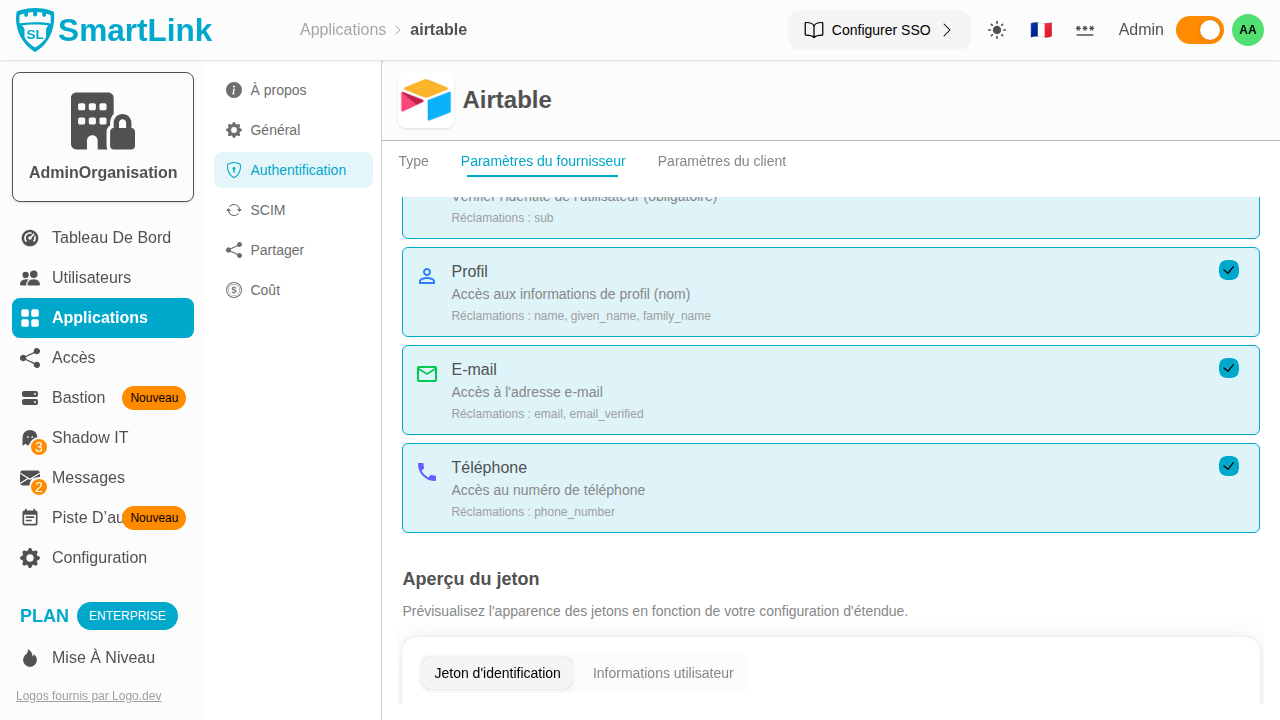
It also allows configuration of:
- Client Secret: shared secret between SmartLink and your client application
- PKCE: enhances security of the authorization code flow (recommended)
- Subject Identifier: field used as a unique user identifier in tokens (
membershipIdor email address) - Allowed Scopes: scope of accessible data (
openid,profile,email,phone) - Redirect URIs: authorized URLs for redirection after authentication
Client Configuration
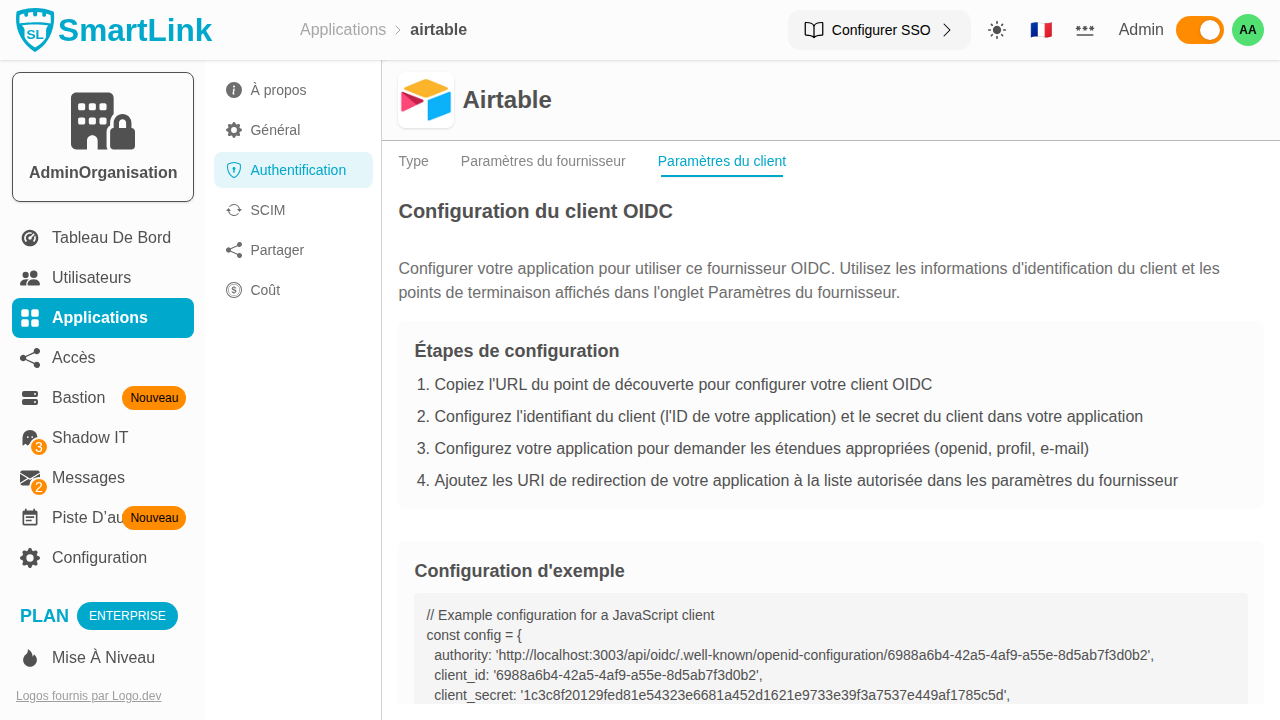
The Client Settings tab provides a ready-to-use code example to integrate SmartLink as an OIDC provider in your application.
Integration Guides
Step-by-step guides are available to configure SSO with the following applications: