Dashboard
1. Accessing the Dashboard

2. Users
The Users section of the dashboard allows you to view statistics related to your users. You can see the total number of users, the most active users, and other relevant data to better understand your users' engagement with the SmartLink.

3. Applications
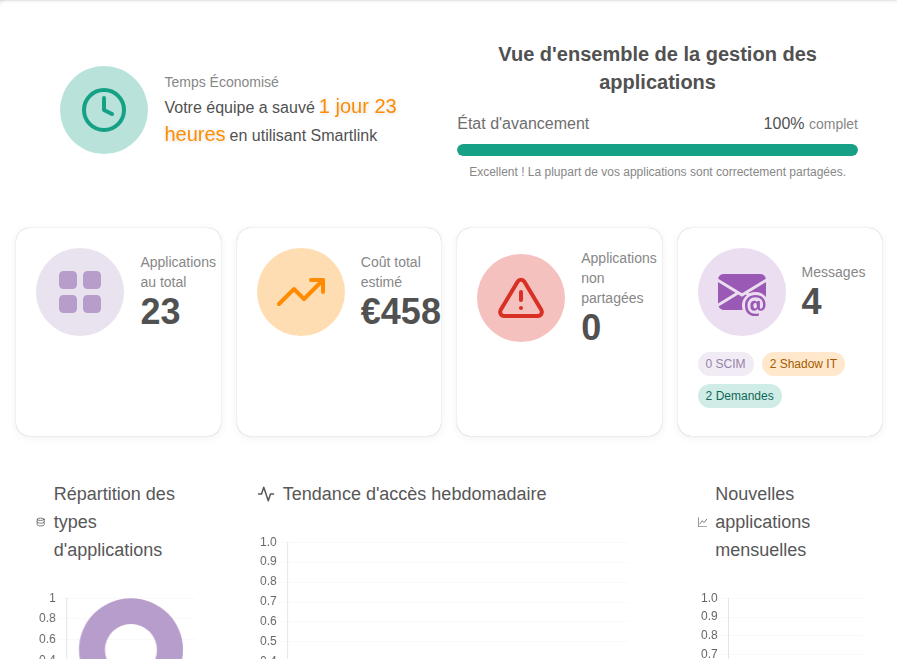
The Applications section of the dashboard provides an overview of all applications connected to your organization. You can view key statistics such as the total number of applications, the most used applications, and usage trends over time.
4. Folders
The Folders section of the dashboard allows you to track the organization of your shares. You can see the total number of folders, the most used folders, and other statistics to help you effectively manage your shares.

5. Security
The Security section of the dashboard provides you with information on the security aspects of your organization. You can view statistics on logins, failed login attempts, passwords, and other data to help you ensure the security of your SmartLink environment.
