Messages
The Messages inbox centralizes all notifications and requests automatically generated by SmartLink: user application suggestions, SCIM events, Shadow IT detections, etc. It is the entry point to process these requests and manage the associated actions.
Accessing messages
In the sidebar, click on Messages. A badge indicates the number of messages awaiting processing.
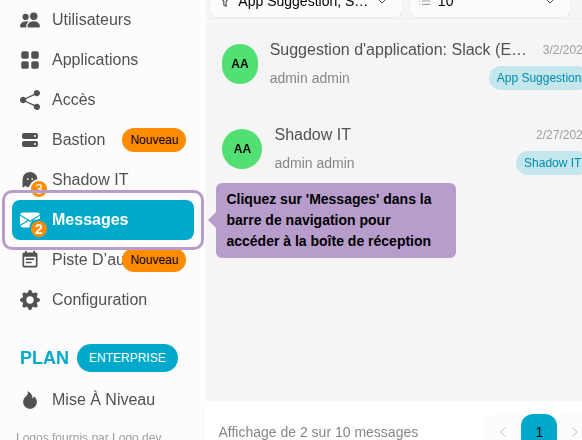
Inbox overview
The inbox is divided into two columns: the list of messages on the left and the content of the selected message on the right.

Filtering messages
Two filters are available at the top of the list.

| Filter | Description |
|---|---|
| Status tab | Switch between Pending (to be processed) and Archived (processed) messages |
| Type selector | Filter by message type: App suggestion, Shadow IT, SCIM Provision, SCIM Deprovision, etc. |
Reading and processing a message
Click on a message in the list to display its content in the right panel. Action buttons appear at the top right of the message.

| Action | Description |
|---|---|
| Archive | Marks the message as processed and moves it to the Archived tab |
| Delete | Permanently deletes the message (irreversible action) |
| Restore | (Available on archived messages) Restores the message to Pending status |
Message content
The message body varies depending on its type. Contextual actions may be directly proposed in the content.
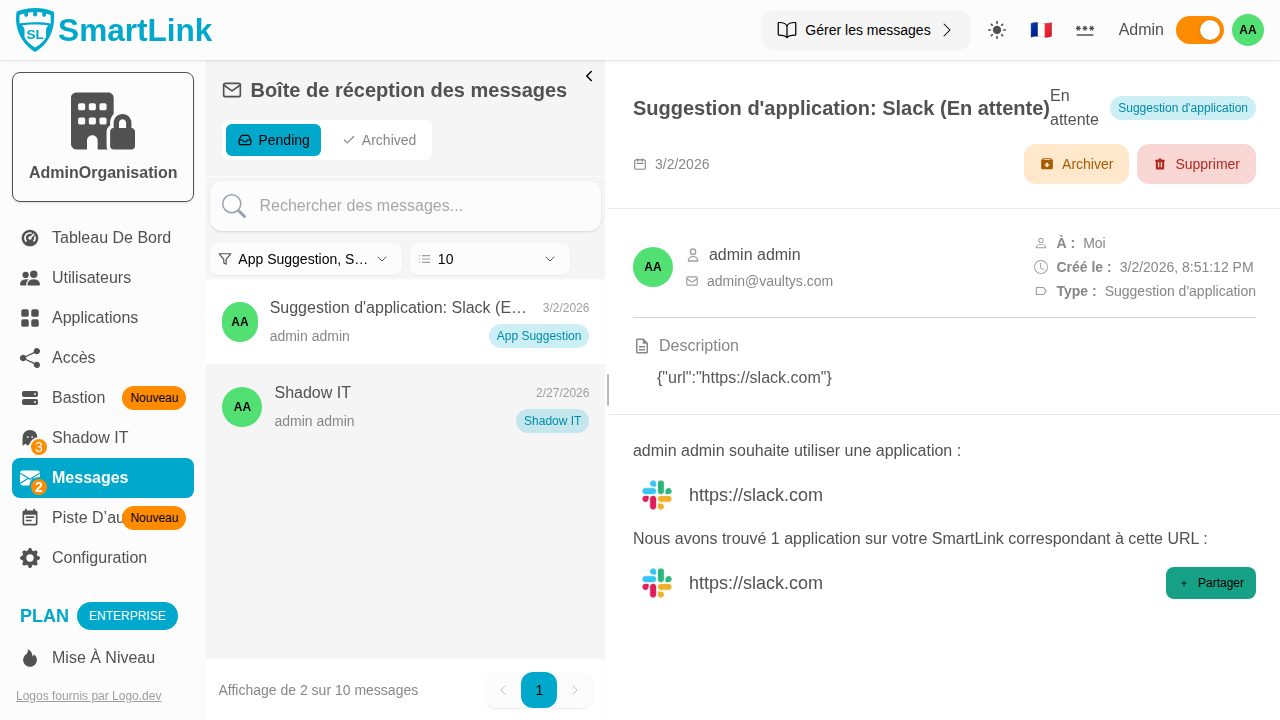
App suggestion
When a user requests the addition of an application, the message displays the suggested URL. If the application does not yet exist in SmartLink, a Create a new app button allows to add it directly. If corresponding applications already exist, they are proposed for sharing configuration.
Shadow IT
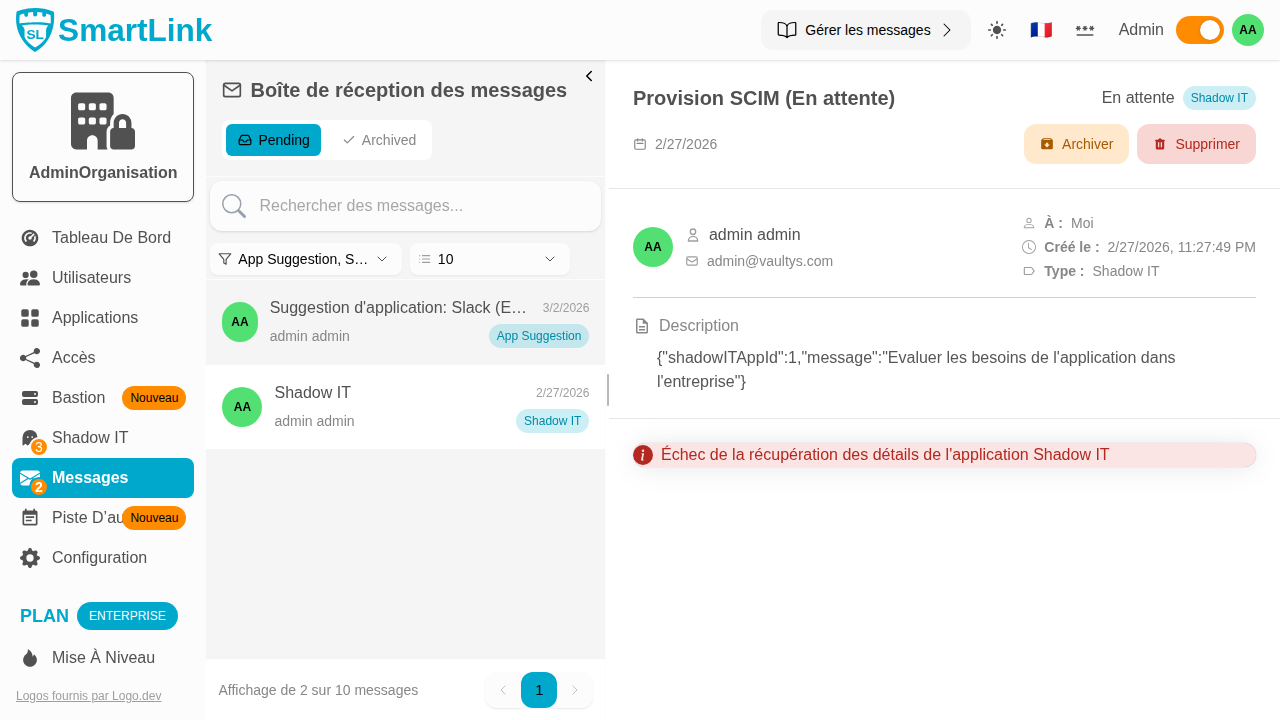
A Shadow IT message is generated when a ticket is created from the ShadowIT page. The message links to the Shadow IT application card for processing (integrating, blacklisting, or ignoring).
SCIM Messages
SCIM messages are generated by provisioning events from an external directory. Depending on the type, validation or rejection actions are proposed:
| SCIM Type | Description |
|---|---|
| SCIM Provision | Request to create a user account or group |
| SCIM Deprovision | Request to delete an account or group |
| SCIM Activate User | Request to change the status of a user |
| SCIM Update User | Request to update user information |
Archived messages
The Archived tab gathers all processed messages. They remain viewable and can be restored to Pending status if needed.
